
Attendance Aggregation
The Attendance Aggregation routine is used to bring together pupil level attendance data to a school’s level of data. The Aggregation Details panel allows you to manually run the aggregation process or re-aggregate data from previous Academic Years. The date the aggregation routine is run is stored in the database against each school included in the aggregation.
To run the attendance aggregation:
- Go to v4 client | Tools | Administration | Attendance | Attendance Aggregation.
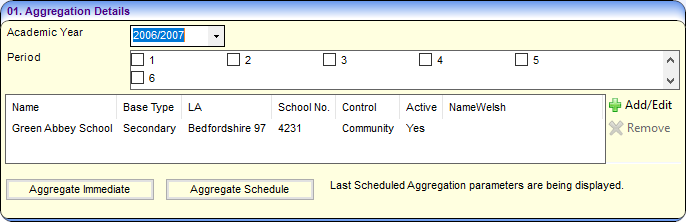
- Select an Academic Year.
- Select a Period checkbox. These must be uniquely defined for all half terms in each Academic Year.
- Choose from the following options:
- Click the Add/Edit button to open the Base Selector dialog.

Search for and select bases as required. - Highlight a base and click the Remove button. A confirmation dialog is displayed.
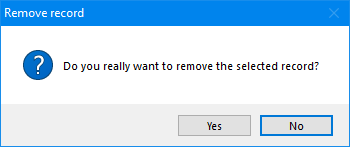
- Click the Add/Edit button to open the Base Selector dialog.
- Choose from the following options:
- Aggregate Immediate
Click the Aggregate Immediate button to run the process immediately. Confirmation dialogs are displayed.
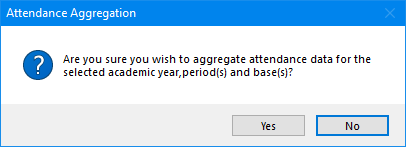
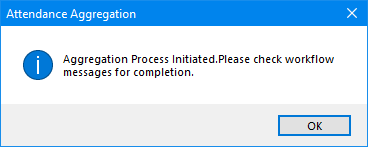
Go to My Home Page | My Workflow Messages to check the workflow messages. A separate workflow message is produced for each period selected.

- Aggregate Schedule
Click the Aggregate Schedule button to select a date/time to run the process. A Last Run date is shown if the Aggregate Schedule process has been run before.
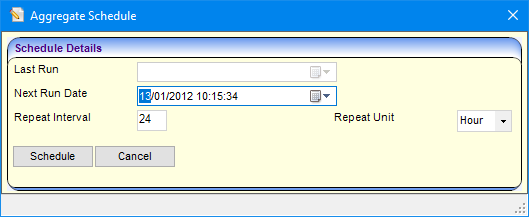
Enter details as required and click the Schedule button. A confirmation dialog is displayed.
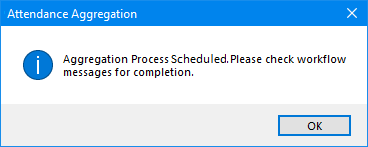
Go to My Home Page | My Workflow Messages to check the workflow messages. A separate workflow message is produced for each period selected.
- Aggregate Immediate