
Account Details Tab
Update Account Details
- Select an account to display the Account Details.
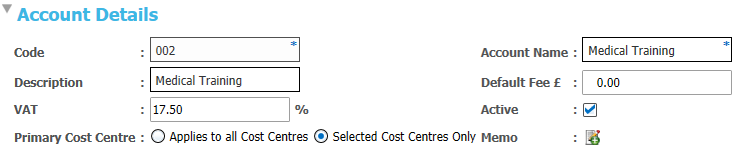
- Edit details as required.
Add a Cost Centre
Existing cost centres are displayed on the Cost Centre Details panel. New cost centres can be added.
The list of cost centres includes all training units. It is managed as a lookup table (Table ID: 1191).
- Select an account to display the Cost Centre Details.

- Click Add to display the Select Cost Centre window with a list of all available cost centres.
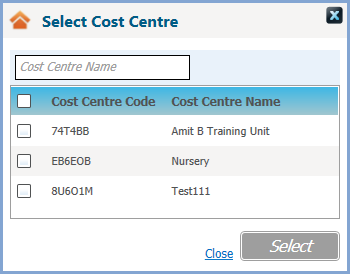
- Select cost centre(s) as required.
Remove a Cost Centre
A cost centre can be removed if there are no associated transactions.
- Select an account to display the Cost Centre Details.
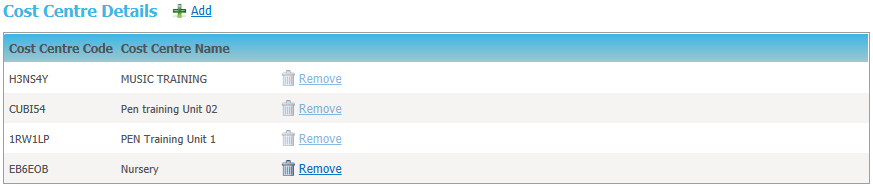
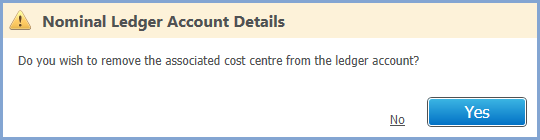
- Click Remove to display a confirmation message.
Add a Budget
Budget information is divided into months.
The budget is for information only and is not taken into account when maintaining transactions.
- Select an account to display the Budget Details.

- Click Add to display the Month and Budget input fields.

- Enter details as required.
Bulk Update VAT
The Update VAT routine enables you to update VAT rates in bulk for all nominal ledger accounts with the same existing rate.
- Select the required account to view its details.
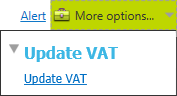
- From the More options menu, select Update VAT to display the Nominal Ledger Bulk Update VAT dialog.
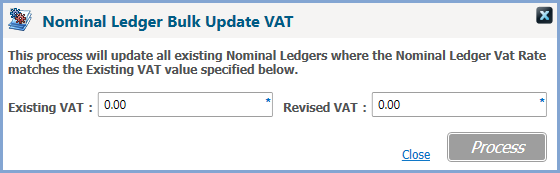
- Enter details as required.
- Click Process.
This will not affect any existing transactions already associated with the nominal ledgers.