
Address Catalogue
The Address Catalogue enables you to create and update addresses from within the Transport module. Addresses created within Transport are accessible throughout.
- Select the Utilities area.
- Select the Address catalogue tab.
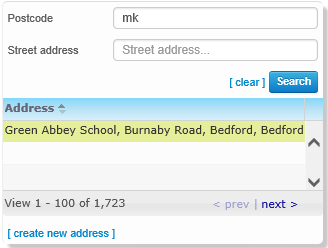
- Enter a Postcode or Street address details.
- Click the Search button to display a list of matching addresses.
- Select from the following options:
- Click the create new address hyperlinkhyperlink to display the Create a new address in an existing street page.
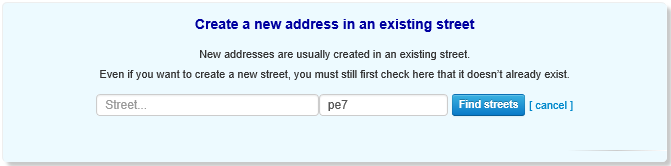
- Enter the street address and/or postcode of the address you want to create.
- Click the Find
Streets button. A list of existing streets that
match your criteria is displayed.
You must use the Find Streets function even if you intend to create a new street.
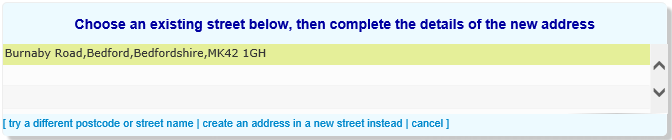
Select from the following options: - If the new address’s street
is included in the search results:
- Highlight the street
to display editable fields related to address
details.
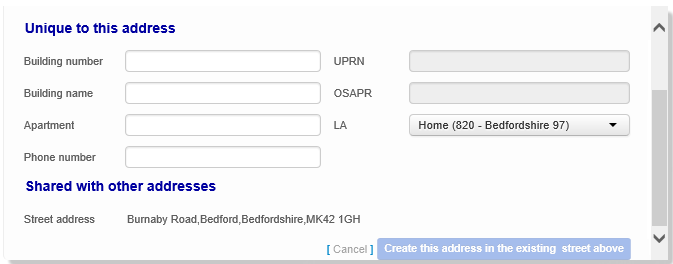
- Enter details as required.
- Click the Create this address in the existing street above button to create the address.
- Highlight the street
to display editable fields related to address
details.
- If the street does not
yet exist in the address catalogue:
- Click the create
an address in a new street instead hyperlink.
Editable fields related to address details are
displayed.
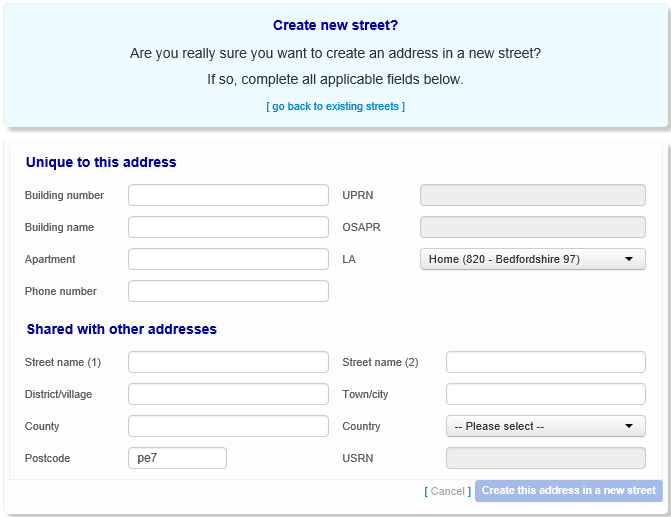
- Click the create
an address in a new street instead hyperlink.
Editable fields related to address details are
displayed.
- Click the try a different postcode or street name hyperlink to search for a different address.
- Highlight the address you want to edit.
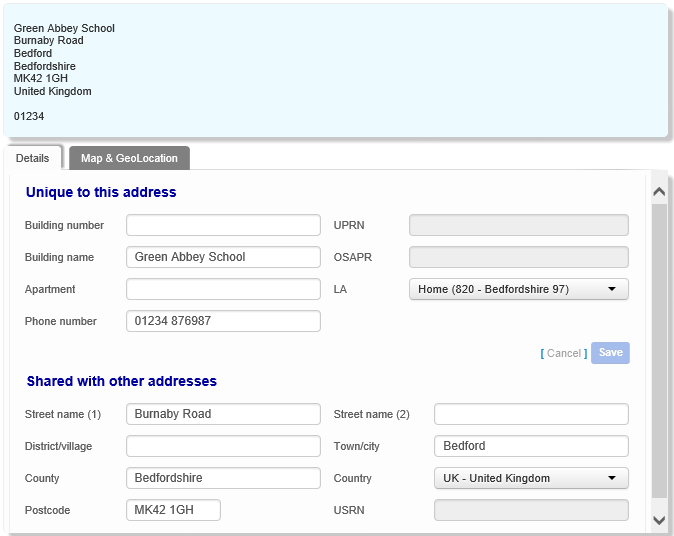
- Details tab
Amend details as required. - Map & GeoLocation tab
Select the Map & GeoLocation tab to view the address on a map.You can also set or change an address’s easting and northing geocodes from the Map & GeoLocation tab. To do so, enter values into the Easting and Northing fields and then click the Save button.
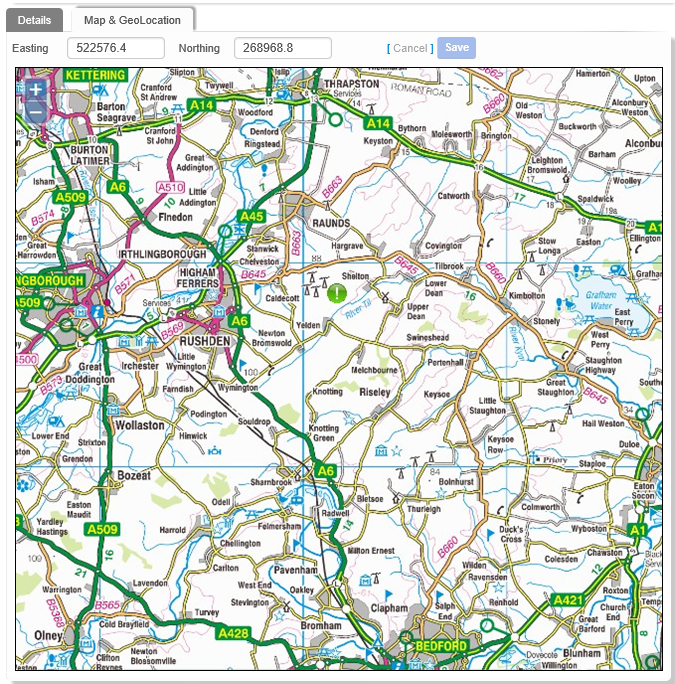
- Details tab
- Click the create new address hyperlinkhyperlink to display the Create a new address in an existing street page.