
Student Basic Details
The Student Basic Details tab enables you to add additional information about a student, alongside that displayed in the core details. All of the fields listed below are optional.
- Select a student.
- Select the Student Basic Details tab to display editable fields relating to student details.
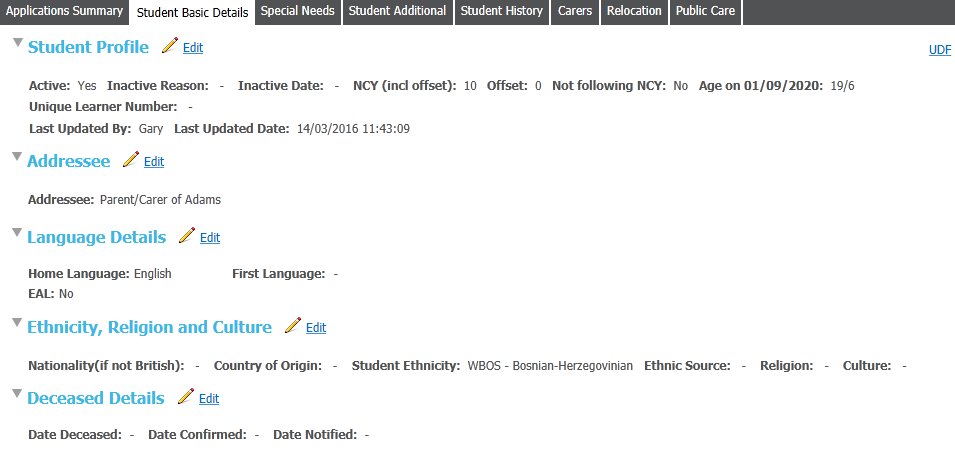
- Click the Edit hyperlink next to any section to make the fields editable.
Mark a Student as Inactive
- Open the Student Profile section
- Click the Edit hyperlink to view editable fields relating to the student's status.
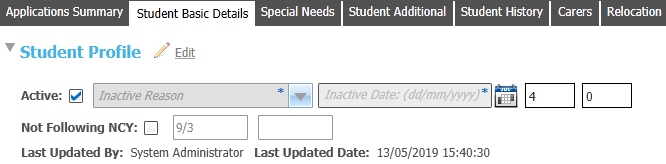
- Deselect the Active check box to mark the student as inactive.
- Select an Inactive Reason and Inactive Date as required.
Mark a Student as Deceased
The Deceased Details section can only be updated if the student has been set to Inactive in the Student Profile section, and the Inactive Reason has been set to DEC-Deceased. On marking a student as deceased, the Inactive Reason and Inactive Date are updated in the Student Profile section.
- Open the Deceased Details section
- Click the Edit hyperlink to view editable date fields.

- Enter details as required.