
Early Years
Manage Income
Display Income for a Childcare Provider
Income for a childcare provider can be displayed and updated. To display the income, search for the provider or the service provision and click the Income link.
Menu: Focus | Early Years | Search for Provider
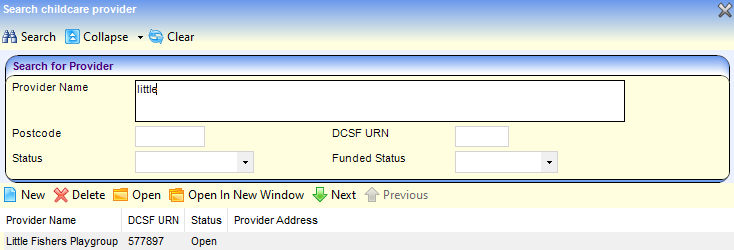
- Enter one or more search criteria and click the Search button:
- A full or partial Provider Name.
- A full or partial Postcode.
- A DCSF URN.
- Select a Status.
- Select a Funded Status. Wildcards of %% can be used.
- Select the required provider in the results list and click the Open In New Window button to display the Maintain Provider page.
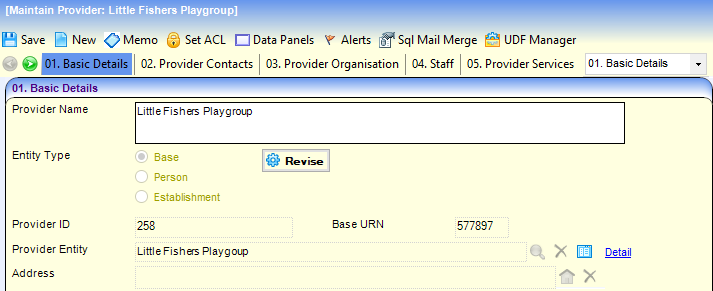
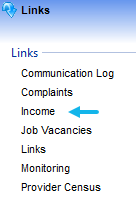
- Click the Income link to display the Income page.
Add Income for a Childcare Provider
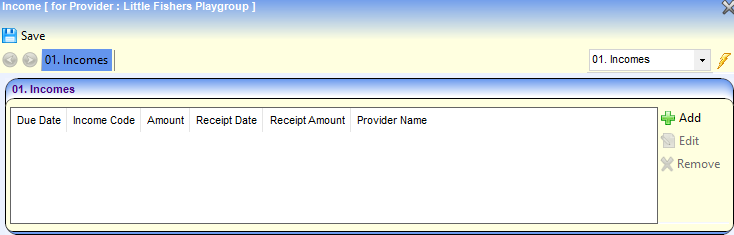
- Click the Add button to display the Income Details page.
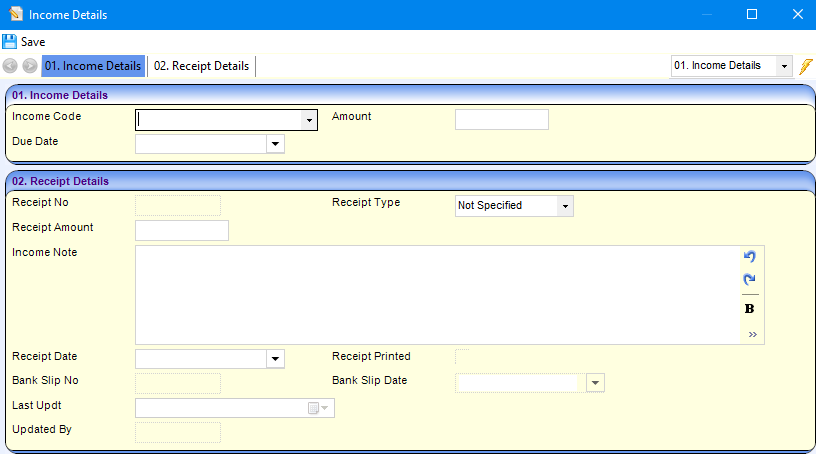
- Select an Income Code.
- Enter an Amount.
- Select a Due Date.
- If required, enter Receipt Details:
- Enter a Receipt No.
- Select a Receipt Type.
- Enter a Receipt Amount.
- Enter an Income Note.
- Select a Receipt Date.
- Select a Bank Slip Date.
- Click the Save button.
 Related Reference Guides: Related Reference Guides:
|