
The instructions on this page were different in the following release(s):
3.87 | 3.86
Update the Census Details in the v4 Client
Release Notes Spring 2026 (3.88)
Early Years Census
Census details for the selected providers are pre-populated using the information currently held in v4.
The following information can be updated in the v4 Client:
- Availability and opening times.
- Staff numbers and qualifications.
- Number of children by age.
To update information in v4 Client:
- Click the workflow message to display the Census Return Batch Details page.
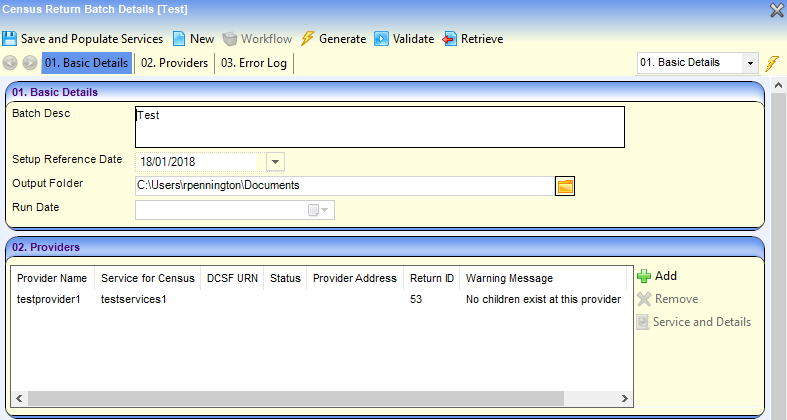
- Highlight the required provider in the Providers panel and click the Service and Details button to display the pre-populated Census Details page.
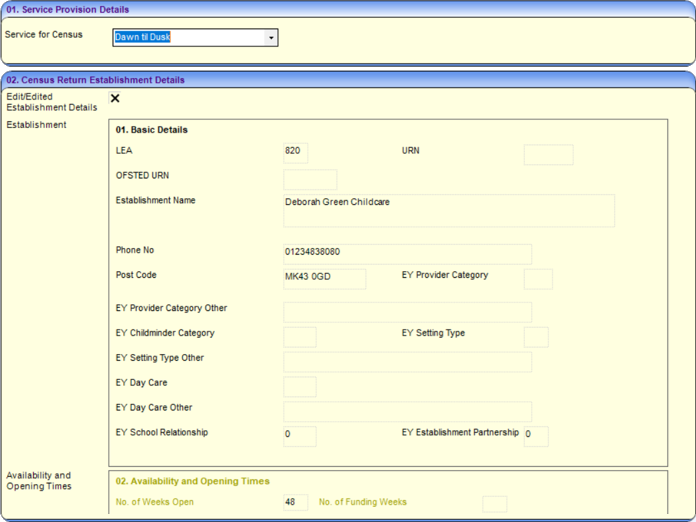
- Select the Edit/Edited Establishment Details check box to enable the fields on the Availability and Opening Times, Total Staff Information and Number of Children by Age panels.
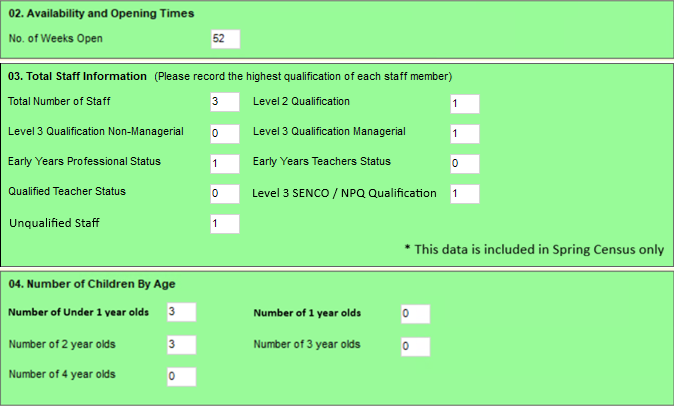
Amend details as required. - Click the Validate button to display a confirmation dialog.
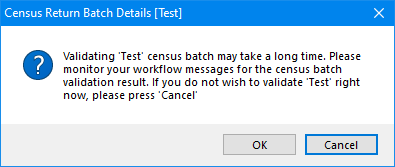
- Click the OK button to validate the information against the DfE schema and display a message in My Workflow Messages.
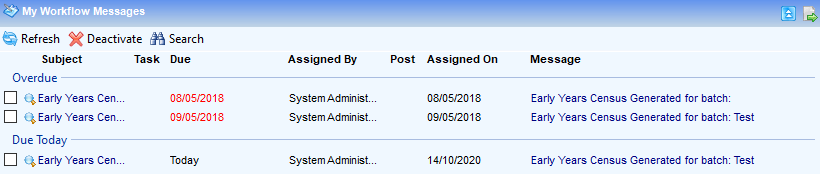
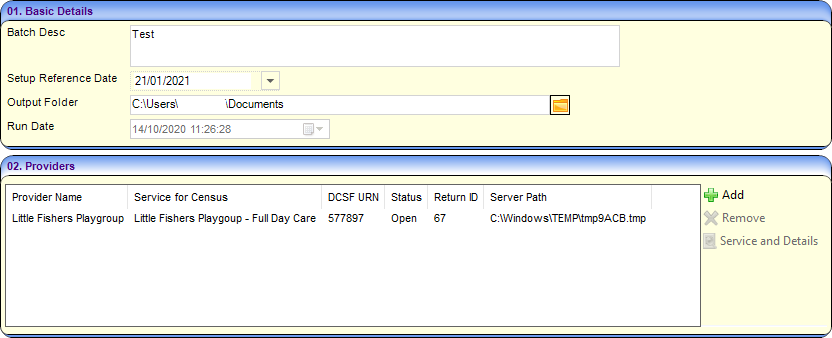
- Click on the workflow message to open the Census Return Batch Details page.
- The Run Date is updated and the list of providers is updated with the Return ID and Server Path.
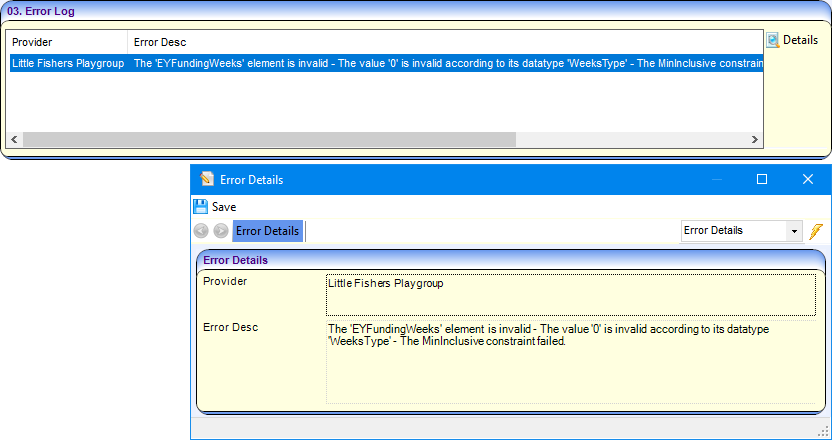
- Any errors generated are displayed in the Error Log panel.
Click on the Details button for a more detailed view.
- Click the Retrieve button to retrieve the return and save the file to the Output Folder selected in the Basic Details panel.
If the service is open for 24 hours a day and 7 days a week, it should be recorded with an open time of 00:00 and a close time of 23:59 for all 7 days. When the census is generated, the Continuously Open check box is automatically selected and the individual times are disabled.
If the service is open for less than 7 days a week, the respective days start and end times should be recorded.
Regenerate the Census
If the Service for Census is changed the census must be regenerated for the new service.
If errors are raised during the validation process and the information is updated, the census must be regenerated. Any updates already made to the pre-populated census details will not be overwritten unless the Edit/Edited Establishment Details check box is unchecked on the Census Details page.
Any updates already made to the pre-populated census details are not overwritten unless the Edit/Edited Establishment Details check box is deselected (unchecked).
If a different Service for Census is selected, any updates already made to the pre-populated census details are overwritten.
Click on the message in My Workflow Messages to display the Census Return Batch Details page. Follow the procedure outlined above.