
Acknowledge an Accepted Case Transfer
When the Receiver YOT/SE accepts a case transfer, the status becomes Accepted and a notification is sent by the receiving system back to your YOT to let you know the transfer has been accepted by a professional at the receiving end.
On my homepage screen select My Case Transfer Tasks or Case Transfer Tasks depending on permission assigned. The required permission is:
- My Case Transfer Tasks Notifications or All Case Transfer Task Notification.
- Click on the relating entry displaying Status as Accepted.

- In the Task screen, place a tick in the Acknowledge box.
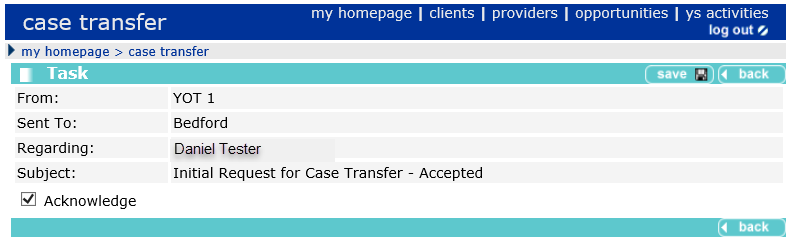
- Click the Save button on the top menu bar and the following message appears.
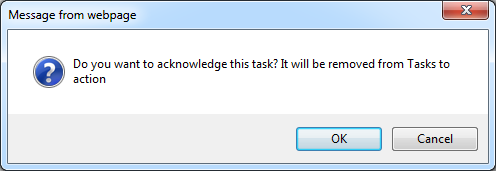
- Click OK. The task will also be removed from the Case Transfer Task list on the Homepage.
If the Receiver YOT/SE rejects a case transfer, the status becomes Rejected and a notification is sent by the receiving system back to your YOT to let you know the transfer has been rejected by a professional at the receiving end, along with a reason for the rejection.
Rejection notifications are viewed and acknowledged in the same way as the acceptance notifications outlined above and any conversation with the receiving YOT/SE about the rejection would take place outside of the system.