
Monitor Case Transfer Status
Youth Offending Teams can manage and monitor the status of both transferred and received cases as they progress. This allows for quick action to be taken if necessary, to continue/resume the transfer process.
The details provided in this section focuses on the various statuses of a case transfer, and the necessary actions required to resolve any issues or, to keep the transfer process flowing.
View a Case status
On the Homepage select a Case Transfer task.
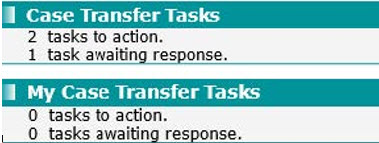
The Case transfer screen is launched to display the current Status of each request that has been received/sent.
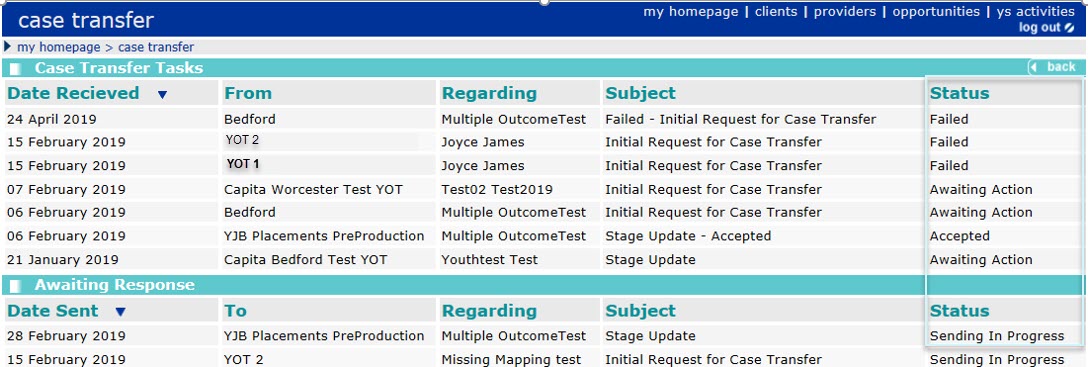
Case Transfer Tasks are: requests, stage updates or notifications that require the attention of your YOT.
Awaiting Response are: requests or stage updates you have sent that are awaiting action from another YOT/YJB Placements/SE.
The Status types are:
-
Awaiting Action
Transfer request or stage update received from another YOT to be actioned by you.
- Accepted
This is a notification from another YOT/ YJB Placements/SE to confirm that they have chosen to accept a submission you sent to them.
- Waiting for a Response
The Request or stage update sent is still waiting for action from the YOT/YJB Placements/SE it was sent to.
-
Rejected
This is a notification from another YOT/ YJB Placements/SE to confirm that they have chosen to reject a submission you sent to them. Click on the link to view the reason given.
-
Failed
The transfer request or stage update has failed to send successfully and has not been received by the other YOT/YJB Placements/SE. If a submission fails to send, it will move from Awaiting Response into Case Transfer Tasks so it is clear that action is required by your YOT. Click on the link to view reason for the failure.
- Sending In Progress
The transfer request or stage update you are sending is still being processed and has not yet been received by the other YOT/YJB Placements.
Select the required entry to view additional information.
Related topic: