
Add Characteristics to a Young Person’s Case Record
Characteristics are listed within the YP Characteristics panel. Until your client has any characteristics recorded, the panel header is grey and reads No YP Characteristics. If you require new characteristics creating to suit a particular case, contact your System Administrator. A yellow warning sign is displayed next to key characteristics. This produces an alert that is displayed at the top of the client record.

- Access the required client record.
- In the YP Characteristics panel, click the new button to display the New YP Characteristic screen.
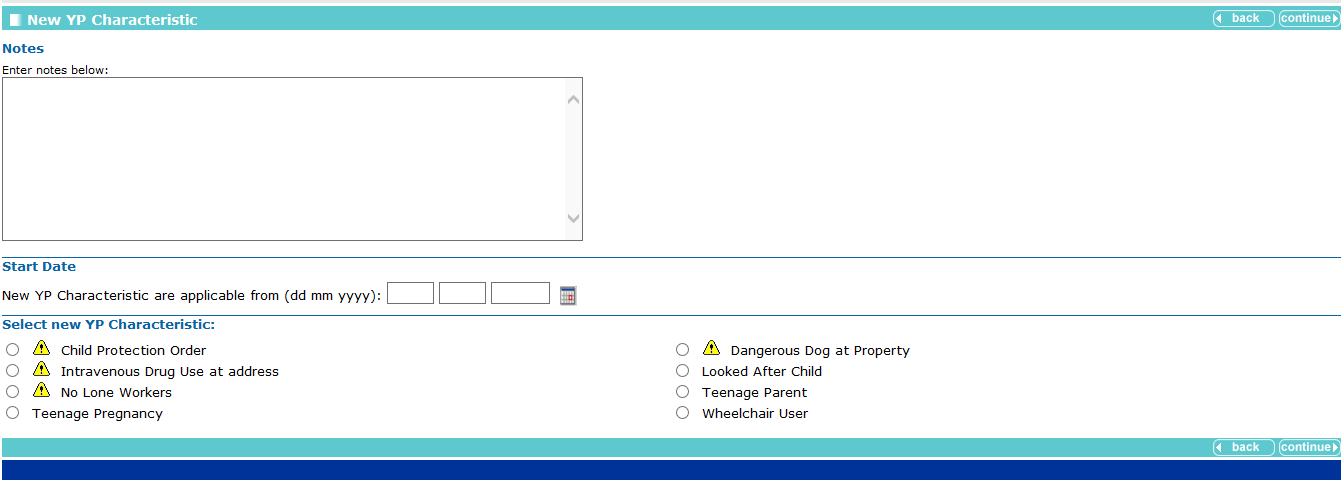
- If required, complete the Notes and Start Date fields.
- Select the appropriate radio button for the characteristic.
- Click the continue button to save the characteristic and return to the client record.
Remove a Characteristic
- In the YP Characteristics panel, click the change button to display the Change YP Characteristic screen.
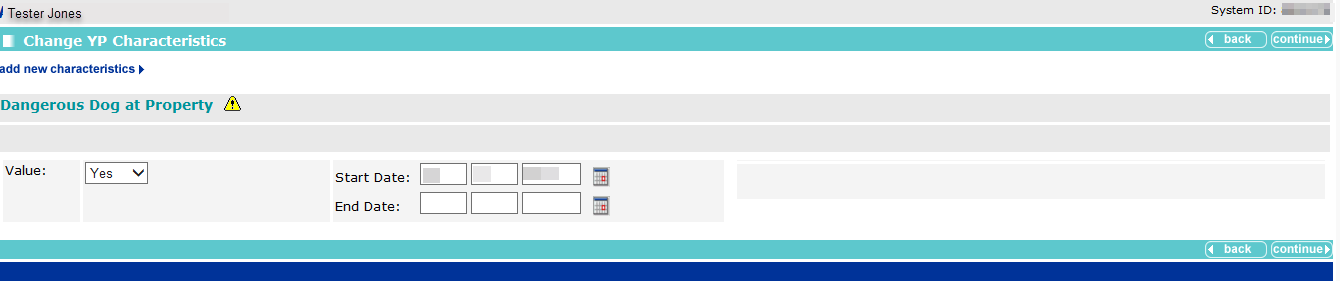
- Enter the End Date for the required characteristic.
- Click the continue button to deactivate the characteristic and return to the client record.