
Early Years
Update Provider Staff
Select a Member of Staff
Members of staff that are defined via the Staff focus can be linked to a particular provider.
To select a member of staff for a provider:
- Select Focus | Early Years | Search for Provider to display the Search childcare provider page.
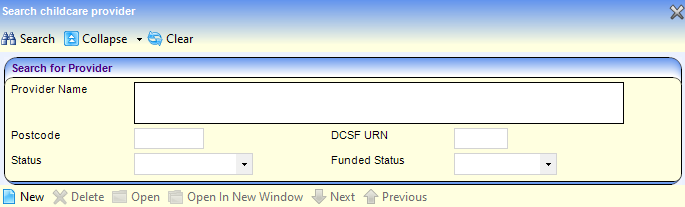
- Enter one or more search criteria and click the Search button to display a list of matching providers.
- Select the required provider and click the Open In New Window button to display the Maintain Provider page.
- Select the Staff panel.
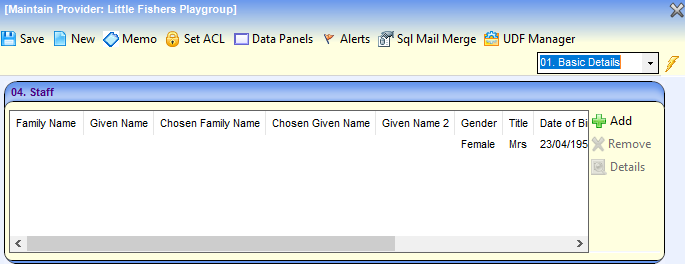
- To select a person who is already recorded as an Early Years member of staff:
- Click the Add button to display the Staff Enquiry dialog.
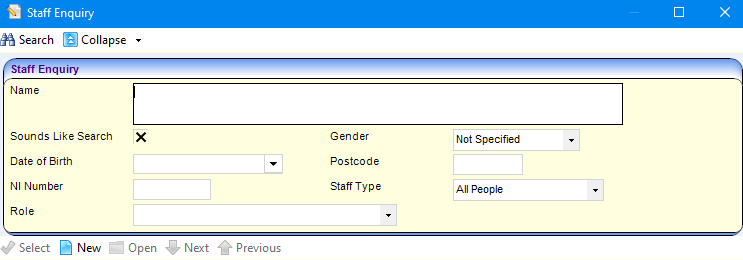
- Select Early Years Staff from the Staff Type drop-down.
- Enter remaining search criteria and click the Search button.
- Highlight the required person and click the Select button.
- Click the Save button.
- Click the Add button to display the Staff Enquiry dialog.
- To add a person who is not already recorded as an Early Years member of staff, see the next section.
Add a New Staff Member
If the required person is not listed as a member of staff, they can be added from the Staff Enquiry page which is accessed via the Maintain Provider page or the Staff focus.
- On the Staff Enquiry page, click the New button to display the New Staff window.
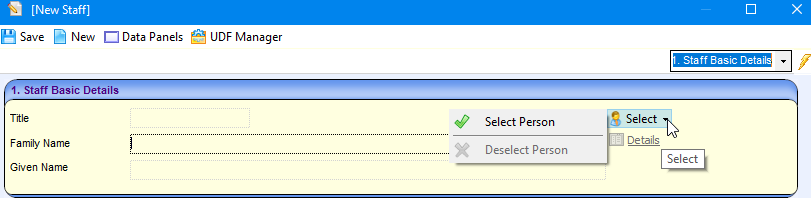
- From the Select drop-down, choose Select Person to display the Person Enquiry dialog.
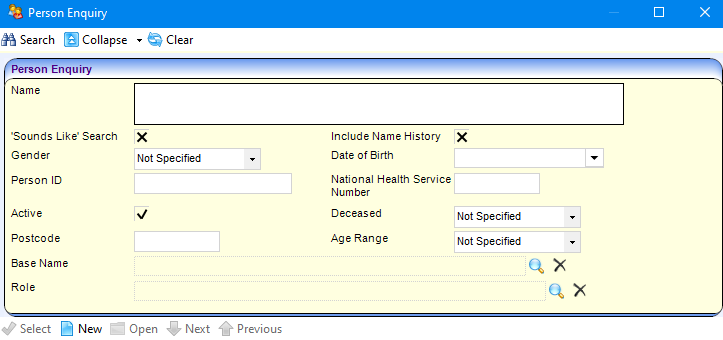
- Enter search criteria and click the Search button.
- Highlight the required person and click the Select button.
- Click the Save button.
Update Staff Details
The Early Years Staff link enables you to record details of staff employed by Early Years providers. To update the details of an Early Years member of staff:
- On the Maintain Provider page, select the Staff panel.
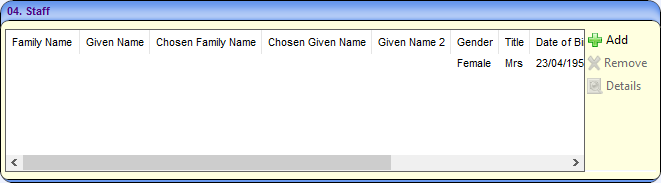
- Highlight the required person and click the Details button to display the Staff Detail page.
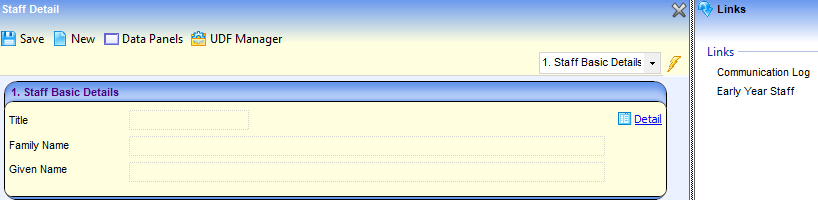
- Click the Early Year Staff link to display the Early Years Staff page.
- If required, select the Early Years Professional Status check box to display a tick.
- If required, select the Early Years Teacher Status check box to display a tick.
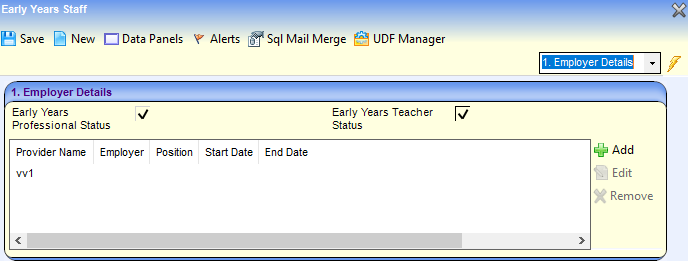
- If required, click the Add button to display the New Employer Details window and enter the Employer Details. Alternatively, click the Edit button to update the Employer Details.
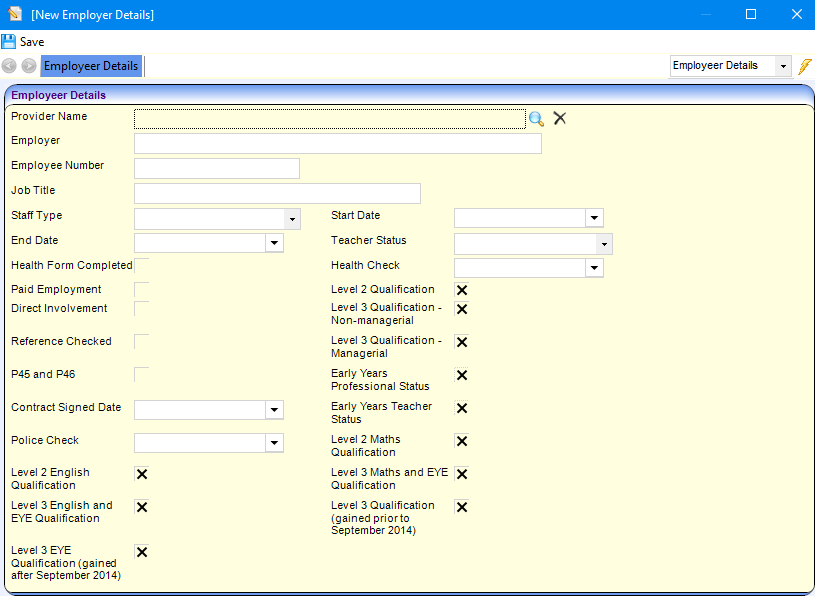
- Click the browse button to select the Provider Name.
- Enter the remaining details and click the Save button.
- If required, update the observations for this member of staff:
- Select the Observations panel.
- Click the Add button to display the Staff Observations window.
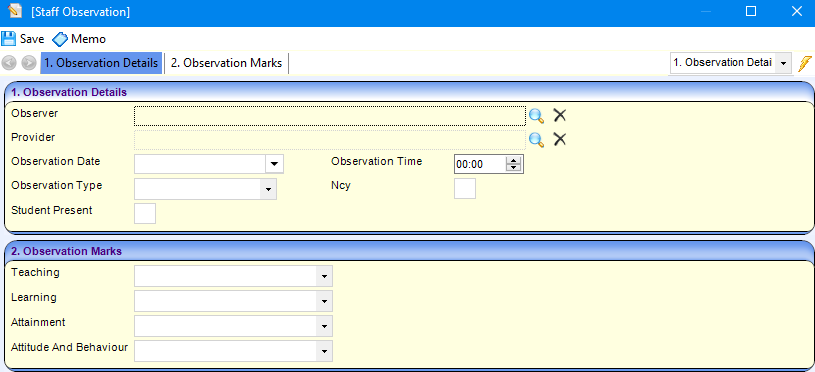
- Enter the Observation Details and Observation Marks.
- Click the Save button.
 Related Reference Guides: Related Reference Guides:
|