
Early Years
Display Provider Details
Display Provider Details
- Select Focus | Early Years | Search for Provider to display the Search childcare provider page.
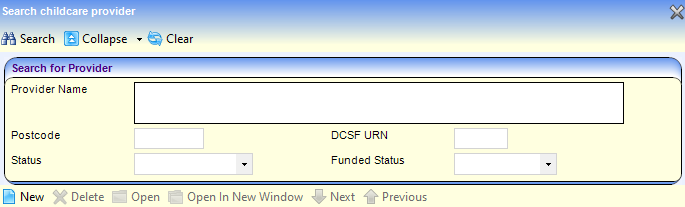
- Enter at least two characters of Provider Name, three characters of Postcode or two numbers of DCSF URN.
- If required, select a Status from the drop-down.
- If required, select a Funded Status from the drop-down.
- Click the Search button to display a list of matching providers.
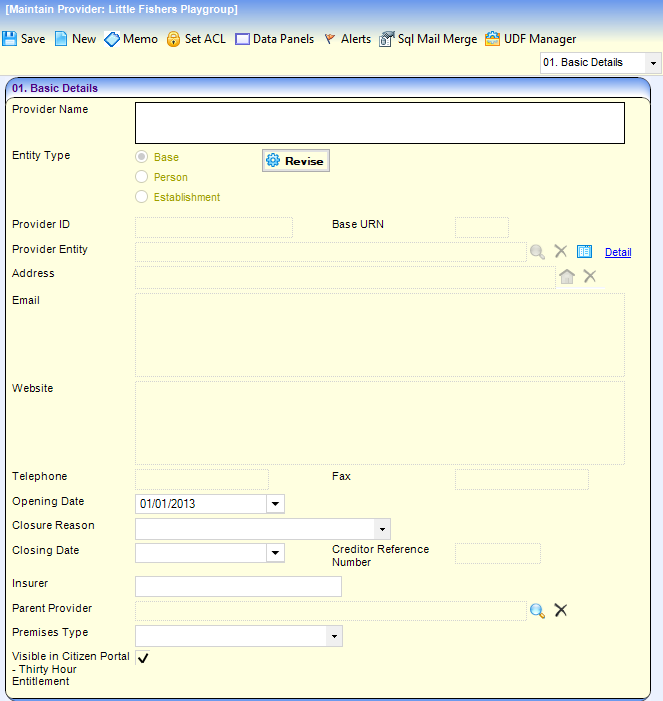
- Highlight the required provider and click the Open In New Window button to display the Maintain Provider page with the following tab pages:
- Basic Details displays the basic information about the provider.
- Provider Contacts displays the name and role details of contacts.
- Provider Organisation displays details of the umbrella organisation.
- Staff displays details of the staff working for the provider.
- Provider Services displays the services provided.
- User Defined Fields displays any UDFs defined for the provider.
 Related Reference Guides: Related Reference Guides:
|