
Early Years
Update Provider Organisation
Update Provider Services
- Select Focus | Early Years | Search for Provider to display the Search childcare provider page.
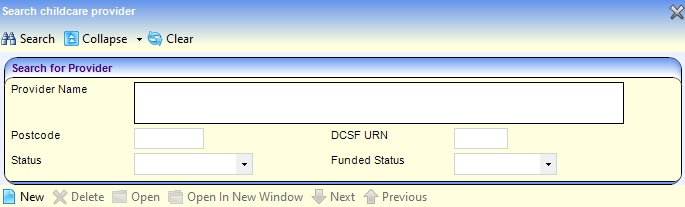
- Enter one or more search criteria and click the Search button to display a list of matching providers.
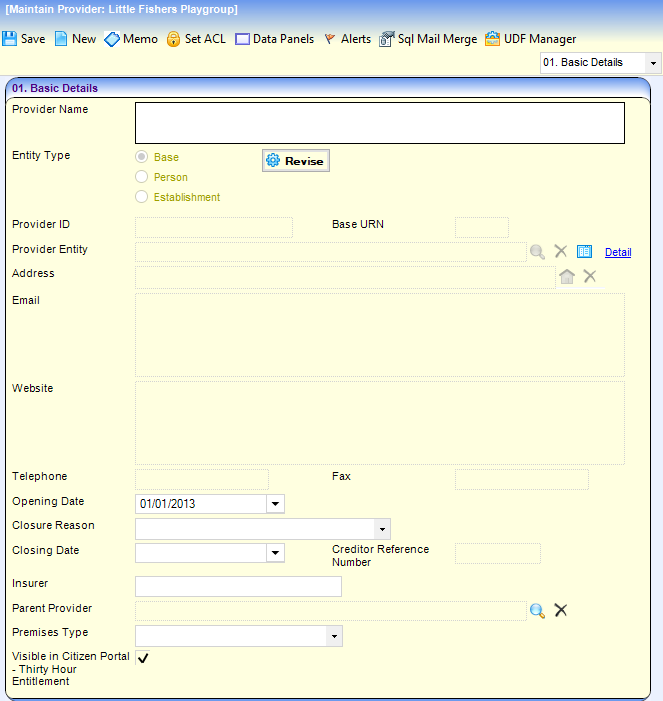
- Select the required provider and click the Open In New Window button to display the Maintain Provider page.
- Select the Provider Organisation panel.
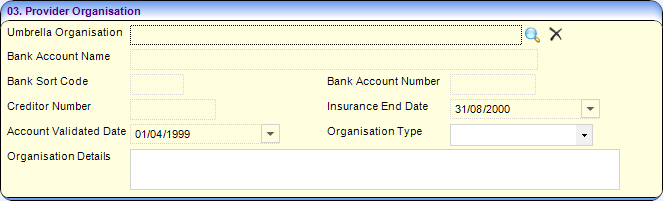
- Click the browse button to display the Search for Umbrella Organisation dialog.
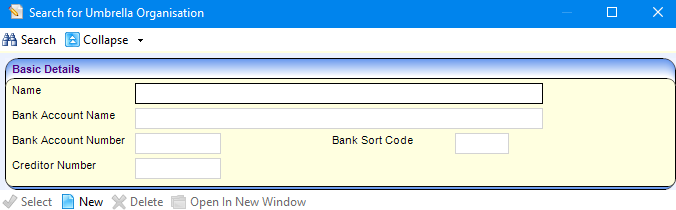
- Enter search criteria and click the Search button to display a list of organisations.
- Select the required record and click the Select button. Alternatively, to add a new organisation:
- Click the New button to open the New Umbrella Organisation dialog.
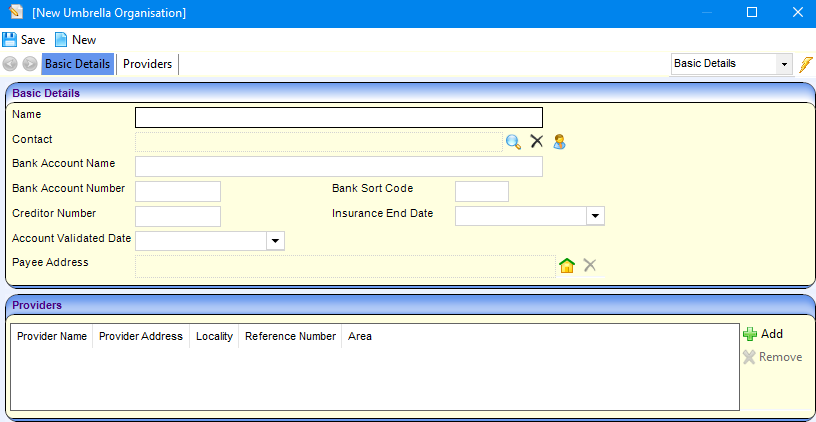
- Enter the name and bank details on the Basic Details panel.
- Click the browse button to select a Contact.
- On the Providers panel, click the Add button to display the Search for Provider dialog.
- Enter search criteria and click the Search button.
- Select the required provider.
- Click the Save button.
- Click the New button to open the New Umbrella Organisation dialog.
 Related Reference Guides: Related Reference Guides:
|