
Early Years
Add a New Enquirer
An enquirer record must be added before any enquiries can be recorded for the person. If the enquirer is anonymous, an anonymous enquirer record must be created.
Add a Named Enquirer
- Select Focus | Enquiries | Enquiry.
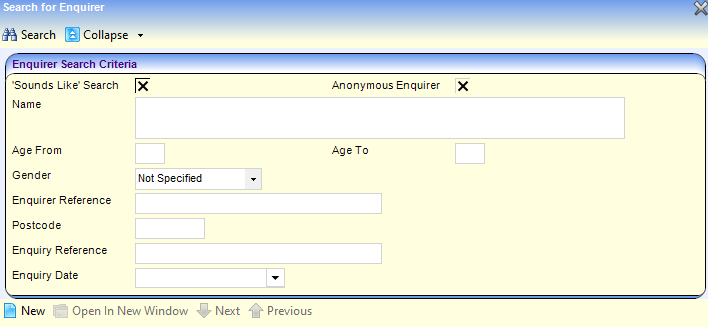
- Click the New button to display the Enquirer Details (New Enquirer) page.
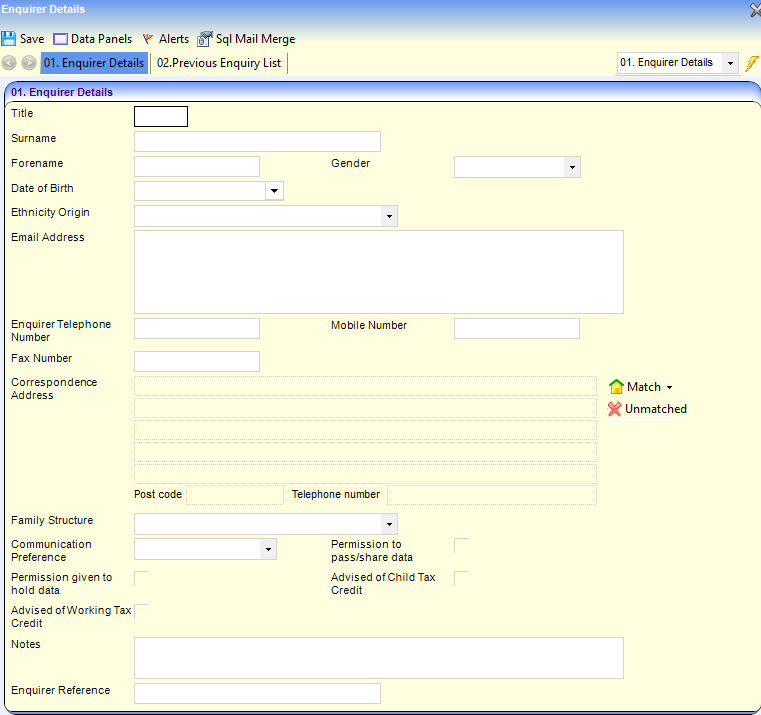
- Enter a Surname.
- If required, enter Title, Date of Birth, Gender and Ethnicity Origin.
- Enter one or more of the following contact details:
- Email Address
- Enquirer Telephone Number
- Mobile Number
- Fax Number
- Correspondence Address.
- If required, select Family Structure (Table ID: 0758).
- If required, select Communication Preference (Table ID: 0805).
- If required, select one or more of the following check boxes to display a tick:
- Permission to pass/share data
- Permission given to hold data
- Advised of Child Tax Credit
- Advised of Working Tax Credit.
- If required, enter Notes.
- If required, enter an Enquirer Reference.
- Click the Save button.
Add an Anonymous Enquirer
- Select Focus | Enquiries | Enquiry.
- Select the Anonymous Enquirer check box to display a tick.
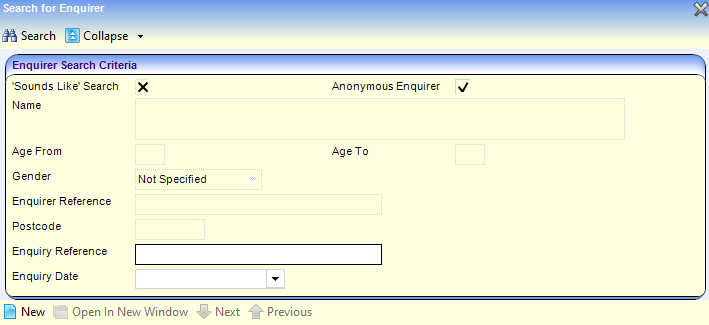
- If required, enter an Enquiry Reference.
- Click the New button to display the Enquirer Details (Anonymous) page.
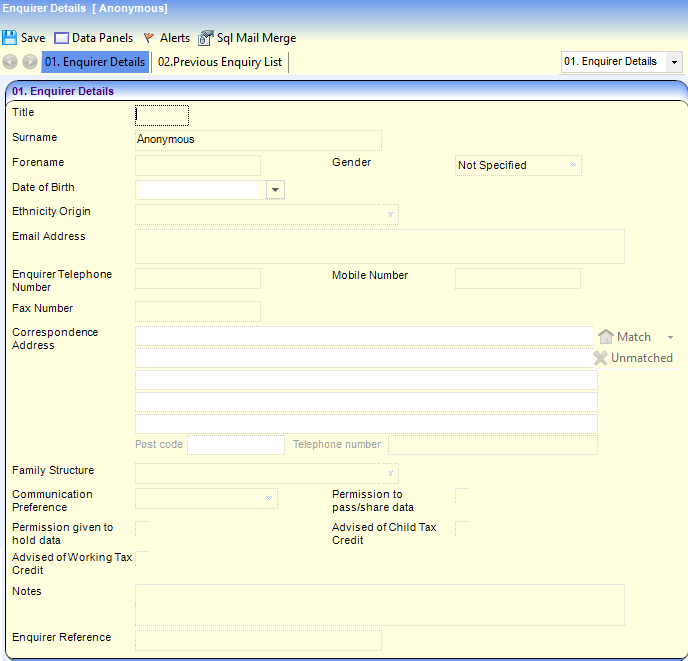
- Click the Save button.
 Related Reference Guides: Related Reference Guides:
|